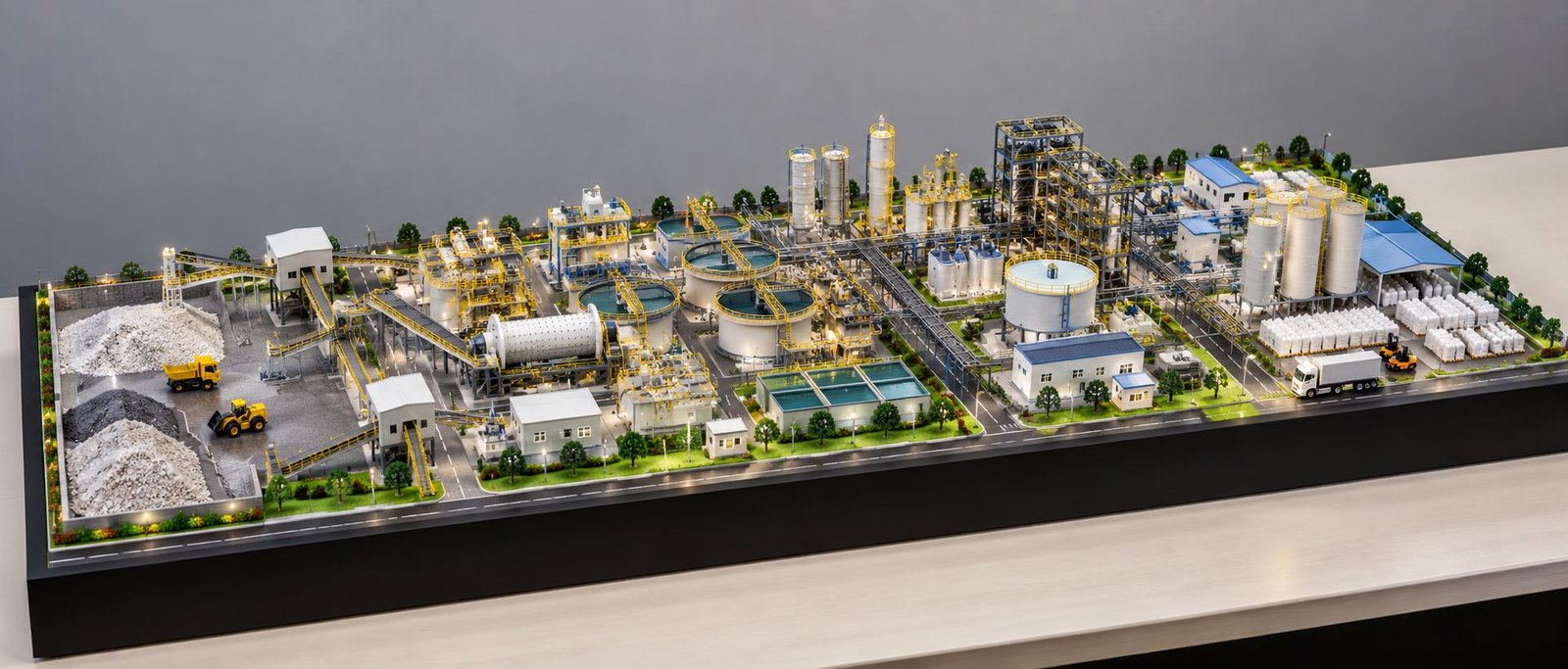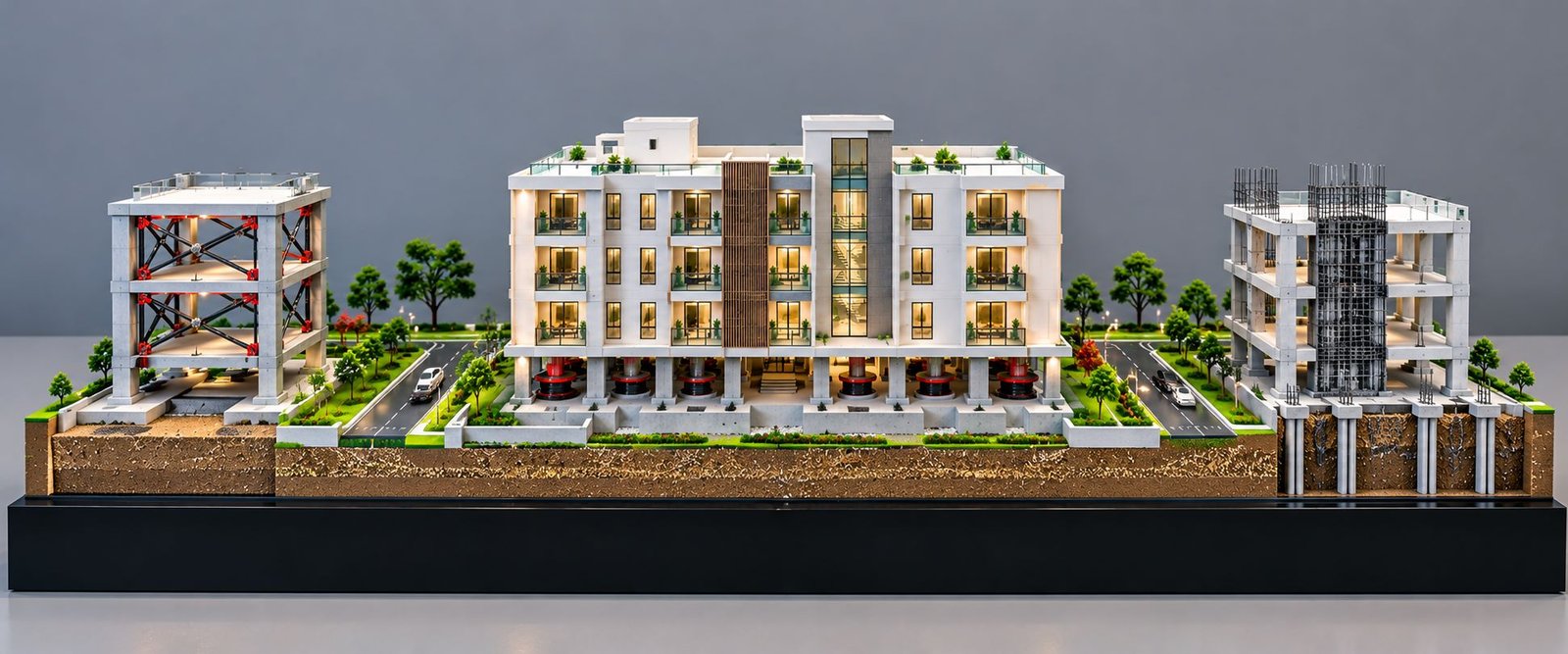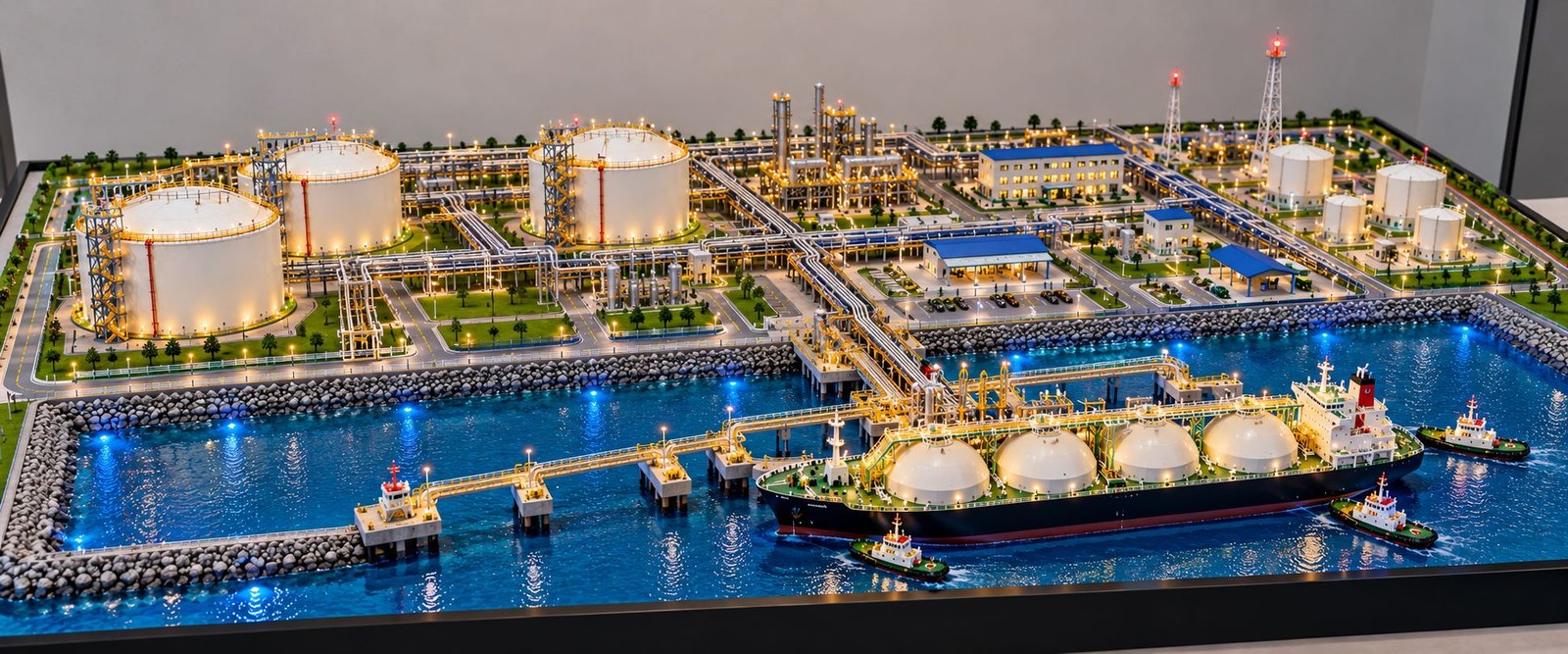
Airport Infrastructure Scale Model: Detailed Design, Components and Applications
Introduction
An airport is a large infrastructure development that connects air transportation with passenger facilities, cargo operations, road networks and ground support services. Every section must work together to support smooth airport operations. The passenger terminal, runways, taxiways, aircraft parking stands, cargo facilities and access roads all play an important role.
An Airport Infrastructure Scale Model presents these facilities in a detailed three-dimensional physical format. It transforms a large airport development into a miniature representation that architects, engineers, developers and project stakeholders can understand easily.
Unlike a model that represents only one building, an airport infrastructure model shows the complete airport environment. For example, it can include the passenger terminal, multiple runways, taxiways, aircraft stands, an air traffic control tower, cargo terminals, hangars, parking structures, access roads, miniature vehicles, landscaping and lighting.
Furthermore, a physical model presents these components together in one coordinated layout. Viewers can understand how the terminal connects with aircraft parking areas, how taxiways relate to runways and how passengers reach the airport through the road network.
Airport scale models are useful for architectural presentations, infrastructure planning, master plan discussions, engineering projects, client meetings and exhibitions. In addition, a wide-format model can display the main airport facilities in a single view while maintaining a low overall height for clear visualization.
Understanding Airport Infrastructure Scale Model Making
Airport infrastructure model making involves creating a physical representation of airport buildings, transportation systems, operational areas and supporting facilities. The process begins with reviewing the project layout and identifying the components required for the final presentation.
The model may represent an international airport, a regional aviation facility, a cargo airport, a private airport or an airport expansion project. Each project has different requirements because its size, architectural design and operational purpose can vary.
For example, a conceptual airport model may focus on the overall master plan, runway arrangement and terminal placement. However, a detailed presentation model may also include aircraft, passenger boarding bridges, parking bays, runway markings, glass facades, service vehicles, utility buildings and landscape elements.
The selected scale determines the size of each component in relation to the complete airport layout. Therefore, model makers must maintain consistent proportions across the terminal, aircraft, vehicles, roads and supporting structures.
At the same time, the layout should remain clear and easy to understand. Adding too many miniature elements can make the model look crowded. Instead, each component should contribute to the overall presentation while allowing viewers to identify the airport’s main facilities.
Airport Terminal Building Model
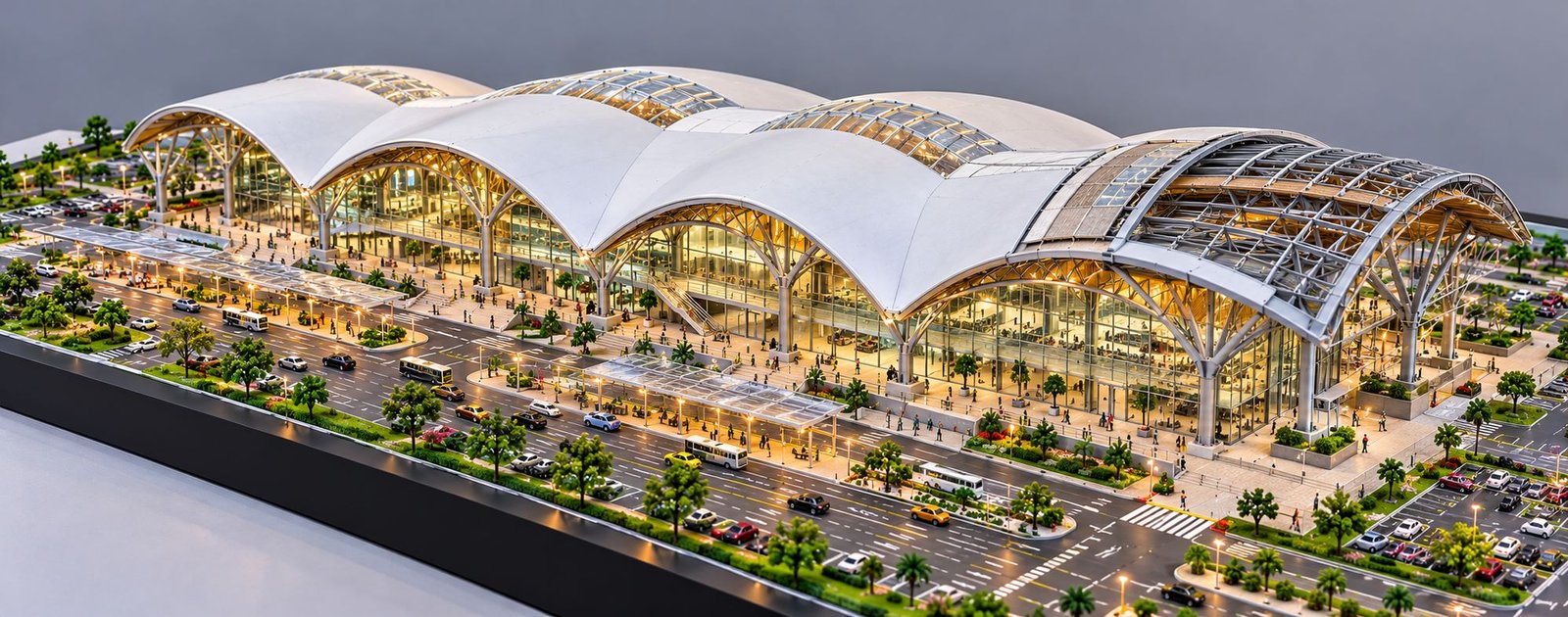
The airport terminal is usually the main architectural feature of an airport infrastructure model. It accommodates passenger check-in, security screening, waiting areas, boarding gates, retail facilities and other passenger services.
In a wide-format model, the terminal often occupies the central section. Its broad footprint creates a strong visual focus while leaving enough space for runways, taxiways, apron areas and access roads.
Terminal Architecture and Building Design
Modern airport terminals may feature flat roofs, curved roof structures, angular forms, large glass facades and multilevel building sections. Model makers reproduce these features using suitable materials and fabrication techniques.
The roof design is particularly important because it influences the building’s overall appearance. For instance, skylights, structural frames, roof panels and entrance canopies can add detail when they form part of the original design.
The terminal’s height and proportions should remain consistent with the selected scale. Moreover, the roof, facade, entrances and surrounding pavement should form a coordinated architectural composition.
Glass Facade and Exterior Finishing
Large glass facades are common in modern airport architecture. In a physical model, transparent or translucent materials can represent glazing and create a realistic appearance.
Fine framing lines, facade divisions and structural supports help define the exterior. In addition, these elements distinguish the main passenger terminal from nearby cargo and service buildings.
The model maker should ensure that transparent components are cleanly cut and properly aligned. Otherwise, scratches, uneven joints and visible adhesive marks can reduce the quality of the finished presentation.
Passenger Entrance and Terminal Frontage
The passenger entrance connects the terminal building with the landside transportation network. Depending on the project, this area may include pedestrian entrances, covered canopies, drop-off lanes, pick-up points and traffic dividers.
These features explain how passengers reach the terminal before entering the building. At the same time, they help distinguish the public-facing area from the operational airside section.
A detailed terminal frontage may include miniature vehicles, road markings, pedestrian crossings and entrance signage. Each element should remain proportionate to the building and surrounding infrastructure.
Terminal Interior Lighting
Miniature LED lighting can illuminate the terminal facade and create the impression of an active airport building. Carefully positioned lights can also highlight the entrance, glazing, roof structure and selected interior areas.
Warm or neutral lighting often improves the visual presentation. However, the brightness should remain balanced so that the architectural details stay visible.
Runway Infrastructure and Aircraft Landing Areas
Runways are among the most important elements of airport infrastructure. They provide designated paved surfaces for aircraft take-off and landing.
In an Airport Infrastructure Scale Model, runways form long, prominent features across the site. Their arrangement communicates the airport’s size and establishes the relationship between aircraft movement areas and the terminal.
Runway Surface and Markings
Model makers generally use a suitable grey or asphalt-like finish to represent the runway surface. White markings define the centerline, threshold areas and other designated features.
These markings must remain proportionate to the selected scale. For example, fine and accurately positioned lines create a more realistic appearance than thick or irregular markings.
Model makers may use printed graphics, carefully applied paint or other suitable methods to reproduce the surface details. Regardless of the method, the final finish should remain clean and consistent across the runway.
Runway Thresholds and Centerlines
The threshold identifies the beginning of the runway portion designated for landing. Meanwhile, centerline markings communicate the longitudinal direction of the runway.
A detailed model can reproduce these features using the available project references. Their arrangement should follow the actual airport design or appropriate aviation references rather than decorative guesswork.
Runway Lighting
Runway lighting can add depth to the physical model. Small illuminated points may represent selected lighting features along designated runway areas.
Alternatively, non-illuminated details may be sufficient when working lights are unnecessary. The choice depends on the presentation requirements, available budget and expected level of realism.
Runway Orientation and Layout
The number, length, spacing and orientation of runways depend on the actual airport project. Therefore, the model should follow the supplied master plan or site layout.
The runway arrangement must also connect logically with the taxiway network. Since aircraft need defined routes between runways, taxiways and apron areas, these connections are essential to a convincing airport model.
Taxiway Network and Aircraft Movement Areas
Taxiways connect runways with aircraft parking stands, aprons, hangars and other operational facilities. They allow aircraft to move between designated areas of the airport.
In the physical model, taxiways form a network of paved routes across the airside section. Their layout should remain visually distinct from runways and surrounding surfaces.
Taxiway Surface and Centerline
Taxiways can be represented using suitable paved surface finishes and fine yellow centerline markings. These details help viewers distinguish taxiways from runways and identify the routes connecting different airport sections.
Furthermore, consistent markings make intersections easier to recognize. Proper alignment also helps the miniature airport appear organized and realistic.
Taxiway Intersections and Connections
Taxiway intersections show where aircraft can move between different parts of the airport. Some routes connect runway exits with the main taxiway network, while others provide access to apron areas and aircraft stands.
These connections should follow the airport layout. Otherwise, poorly aligned taxiways can make the model appear disconnected, even when the individual components are well finished.
Turning Areas and Holding Positions
Aircraft require suitable space to turn and position themselves while moving around the airport. A detailed model can represent these areas through curved pavement sections, wider connections and appropriate markings.
However, the exact arrangement depends on the project design. When the model supports an engineering or planning presentation, the model maker should follow the approved drawings.
Aircraft Apron and Parking Stands
The apron is the paved area where aircraft park for passenger boarding, baggage handling, servicing and other ground activities. It usually connects the terminal with the taxiway network.
A detailed airport model may include multiple aircraft stands around the terminal. As a result, viewers can understand how aircraft connect with passenger facilities and how the apron fits into the overall airport layout.
Aircraft Parking Positions
Each aircraft stand represents a designated parking position. The model can show stand markings, aircraft alignment and the space surrounding each aircraft.
Consistent spacing is important because it improves the visual organization of the apron. Therefore, aircraft should follow the intended stand arrangement rather than appear randomly placed.
Passenger Boarding Bridges
Passenger boarding bridges, also known as jet bridges, connect the terminal directly to an aircraft door. These structures are important features of many modern airport terminals.
Model makers can fabricate miniature boarding bridges and position them between the terminal facade and corresponding aircraft stands. Their placement should match the project layout to create a convincing connection.
Ground Support Equipment
Ground support equipment assists with aircraft servicing while aircraft remain on the ground. Depending on the project, the model may include baggage tractors, service carts, catering vehicles, airport buses and other miniature vehicles.
These components make the airport environment look active. Nevertheless, their number and placement should remain balanced so that they do not overcrowd the apron.
Aircraft Models and Their Placement
Miniature aircraft help establish scale and demonstrate the arrangement of aircraft stands. Depending on the project, the model may include different aircraft types for domestic, international, regional or cargo operations.
The aircraft should remain proportionate to the terminal, taxiways and parking stands. If the model represents an existing airport, the client should provide the required aircraft types and visual references.
Air Traffic Control Tower Model
The air traffic control tower is a recognizable component of many airports. Its elevated control room supports the visual monitoring of aircraft and airport movement areas.
In a physical airport model, the tower provides a distinct vertical feature within the otherwise broad, low-profile layout.
Tower Structure and Height
A typical control tower includes a vertical shaft and an upper control room. The model can reproduce these elements using fabricated panels, transparent glazing and a carefully finished exterior.
The tower’s height should remain consistent with the selected scale and intended design. Otherwise, an oversized tower can disturb the overall proportions of the model.
Control Room Glazing
The control room often features wide windows. Small transparent panels and fine framing details help reproduce its recognizable appearance.
In addition, subtle interior lighting can highlight the control room without overpowering the surrounding infrastructure.
Position Within the Airport Layout
The tower’s location depends on the actual airport design and operational requirements. In the model, it should remain clearly visible while maintaining a logical relationship with the runways and taxiways.
Although the model communicates the planned position visually, it does not replace technical assessments of visibility, operational requirements or aviation safety.
Airport Cargo Terminal and Logistics Facilities
The cargo section supports the movement of freight, parcels, mail and other goods. Depending on the airport, it may contain cargo handling buildings, storage areas, loading zones, service roads and aircraft access facilities.
A separate logistics area helps distinguish cargo operations from passenger activities. Consequently, viewers can understand the airport’s different functional zones more easily.
Cargo Handling Buildings
Cargo buildings may accommodate receiving, sorting, storage and dispatch activities. Their exterior design can be simpler than the main passenger terminal, but their layout should remain clear and purposeful.
For example, rectangular building forms, loading doors, service entrances and paved surroundings can communicate their function effectively.
Loading and Unloading Zones
Cargo vehicles need access to designated loading areas. The model can show loading bays, vehicle approach routes and paved spaces around the cargo buildings.
These details explain how goods move through the airport’s logistics facilities. Furthermore, they help distinguish cargo operations from passenger movement.
Freight Access Roads
Cargo traffic may follow routes that differ from passenger drop-off traffic. The model can demonstrate this arrangement through separate road connections and a clearly defined logistics zone.
The precise layout should follow the project plan. Even a conceptual model should communicate a sensible relationship between public access and operational movement.
Aircraft Hangars and Maintenance Facilities
Hangars and maintenance buildings support aircraft storage, inspection, repair and other technical activities. Their inclusion depends on the type and size of the airport project.
These facilities may appear near the cargo area or within a separate operational zone. In the model, they can be represented by broad industrial buildings with large access doors and surrounding paved areas.
Hangar Building Design
Hangars require large internal spaces and wide openings for aircraft access. Model makers can represent these features using proportionate doors and simple structural forms.
Maintenance Access and Service Areas
Maintenance buildings require vehicle access and space for supporting activities. A detailed model may include service roads, equipment parking and nearby utility structures.
These details distinguish the maintenance section from passenger facilities. They also demonstrate that an airport requires many services beyond passenger boarding and aircraft movement.
Airport Fuel Storage and Utility Facilities
Airports depend on supporting infrastructure that passengers may not see directly. Depending on the project, this can include utility buildings, technical service areas, fuel infrastructure, water facilities and equipment compounds.
Miniature tanks and support structures can represent selected facilities shown in the airport plan. In this way, the model presents a more complete picture of the airport’s supporting infrastructure.
Storage Tanks
Cylindrical miniature tanks may represent storage or utility infrastructure included in the project design. Their dimensions, number, color and position should follow the available references.
The tanks should have consistent spacing and a suitable surface finish. Moreover, their proportions must match nearby buildings and other miniature components.
Utility and Service Buildings
Utility buildings may support electrical systems, water services, maintenance or other airport functions. The model can represent them as compact structures connected to designated service roads.
Their intended purpose should be clear from the project documentation. Therefore, a model maker should not assign a specific technical function without suitable reference information.
Operational Separation
Supporting facilities must follow the requirements applicable to the real airport. Although a presentation model can show their planned positions, it cannot replace technical reviews of access, fire protection, hazardous areas or operational safety.
Airport Access Roads and Ground Transportation
The landside road network connects the airport with surrounding roads and transportation systems. It provides access for private cars, taxis, buses, staff vehicles and other ground traffic.
A detailed Airport Infrastructure Scale Model uses roads to explain how passengers reach the terminal and how vehicles move around the airport site.
Main Airport Approach Road
The main approach road connects the airport entrance with the terminal area. A broad road along the terminal frontage creates a clear visual link between the building and the surrounding transport network.
Road surfaces, lane markings, directional arrows and junctions help define the route. At the same time, these details should remain clear without competing with the terminal and aircraft.
Departure and Arrival Lanes
Many airports organize passenger drop-off and pick-up areas around the terminal frontage. The model can represent these areas with separate lanes, road dividers, covered canopies and marked stopping zones when the design includes them.
This arrangement helps viewers understand how passengers move from the approach road to the terminal entrance. In addition, it communicates the relationship between the terminal and the public road network.
Internal Service Roads
Internal roads connect operational buildings, cargo areas, utility facilities and maintenance zones. They provide routes for ground vehicles moving between different parts of the airport.
A detailed model can distinguish these roads from public access routes. Consequently, the overall organization of airport traffic becomes easier to understand.
Road Markings and Junctions
Lane lines, arrows, pedestrian crossings, roundabouts and junction markings add useful detail to the miniature layout.
These elements should be applied consistently. Fine, proportionate markings generally create a more convincing appearance than oversized or irregular lines.
Multilevel Parking and Vehicle Parking Areas
Parking is an important part of airport infrastructure because passengers, visitors and airport staff need suitable vehicle facilities. A physical model may include surface parking, multilevel parking buildings or both.
Multilevel Parking Building
A multilevel parking structure accommodates vehicles within a limited footprint. The model can show its floors, external ramps, entry points and facade openings.
The structure should remain proportionate to the terminal. Its architectural treatment can be simple or detailed, depending on the project drawings and presentation requirements.
Surface Parking Layout
Surface parking areas can include miniature cars, marked bays, driving aisles, landscaped islands and pedestrian routes. These details make the parking arrangement easier to understand.
However, the layout should remain organized. Randomly placed vehicles or inconsistent parking lines can reduce the realism of the presentation.
Vehicle Placement and Scale
Miniature cars help viewers judge the size of roads, buildings and parking areas. Their scale should match the aircraft, terminal and other components.
Consistent vehicle sizes are particularly important when the model includes cars, buses, service vans and cargo vehicles together. Otherwise, the different elements may appear disproportionate.
Landscaping and Green Buffer Areas
Landscaping improves the appearance of an airport model and helps define the spaces between buildings, roads and paved operational areas. It also gives the miniature a finished, organized look.
Perimeter Landscaping
Trees and green strips along the site boundary can visually separate the airport from its surroundings. They also help define the shape of the model base.
The landscaping should remain low and consistent. Otherwise, tall or dense miniature trees can hide important buildings and interrupt the view of the runway layout.
Green Islands and Roadside Planting
Green islands may appear between parking rows, beside access roads or around selected public areas. Small shrubs and grass-like textures can represent these features.
The placement should follow the project layout. In particular, landscaping should not obscure taxiways, aircraft stands, road junctions or other important infrastructure.
Open Spaces and Visual Balance
Open spaces help viewers distinguish between different airport zones. A model does not need to fill every empty area with trees or miniature structures.
Instead, the designer should balance buildings, paved surfaces and landscaped areas. This approach preserves the clarity of the airport master plan while creating a more natural appearance.
Airport Signage, Markings and Small Details
Small details make a physical model more convincing. They also help viewers understand how the different airport areas function.
Directional Signs
Miniature signs may identify terminal access, parking, cargo facilities, service areas or other locations. Their wording and placement should follow the project brief.
For a generic presentation model, simple signs may be sufficient. However, for a model of an existing airport, the client should provide the required names, labels and visual references.
Road Signs and Pedestrian Crossings
Road signs, lane arrows, crossing lines and dividers make the ground transportation layout easier to understand. These features should remain small enough to match the selected scale.
Pedestrian crossings can be added near terminal entrances, parking facilities and other public areas when the design includes them.
Aircraft Stand Markings
Stand lines and apron markings define individual aircraft positions. They also make the relationship between aircraft, boarding bridges and terminal gates more apparent.
Precise markings prevent the apron from looking like a single, undifferentiated paved area. Consequently, the overall model appears more detailed and organized.
Miniature Service Vehicles
Baggage tractors, buses, airport service vehicles and maintenance vehicles can bring additional detail to the model. However, the designer should use them selectively.
Too many miniature vehicles may make the scene look crowded. A balanced arrangement allows the main infrastructure to remain the focus.
Lighting Design for an Airport Infrastructure Scale Model
Lighting can make an airport model more attractive and highlight its main components. It is especially useful when the model will appear in a presentation room, exhibition or corporate display.
Terminal Interior Lighting
Warm or neutral LED lighting can illuminate the terminal facade and suggest activity inside the building. Carefully positioned lights also highlight the entrance canopy and roof design.
The lighting should remain balanced enough to show the architectural details. Otherwise, bright spots and exposed wires can distract from the finished model.
Runway and Taxiway Lighting
Small points of light can represent selected runway and taxiway lighting features. Their placement should match the intended design reference and remain proportionate to the miniature surfaces.
For a concept model, visual representation may be sufficient. In contrast, a technical model requires the lighting layout to follow the relevant design information.
External Building Lighting
Cargo buildings, service facilities, parking structures and selected road areas may include subtle exterior lighting. This helps distinguish different zones within the airport layout.
However, every building does not need to glow. Selective lighting creates a more natural presentation and prevents the model from appearing excessively bright.
Electrical Integration
If the model includes working lights, the model maker should plan the wiring and power supply before final assembly. Concealed wiring, accessible connections and a suitable power arrangement help keep the base clean.
The electrical system should also remain easy to inspect and maintain. This becomes particularly important for large models that may need transportation or repeated exhibition use.
Model Baseboard and Overall Presentation
The baseboard provides the foundation for the Airport Infrastructure Scale Model. It supports the miniature structures and creates a clean boundary around the displayed site.
Wide and Low-Height Composition
A wide layout works well for an airport because runways, taxiways and terminal buildings extend across large areas. A low overall profile allows viewers to see more of the airport from a front-facing or elevated viewing position.
The model should maintain sufficient depth to represent the runway system, terminal, aprons, parking and access roads without making any section feel compressed.
Furthermore, the main components should remain visible from the intended viewing angle. A balanced layout helps viewers understand the complete airport without losing important details behind buildings or landscaping.
Clean Baseboard Edges
A neat baseboard edge improves the professional appearance of the model. The border should remain consistent around the display wherever the design allows.
The model maker should avoid visible glue marks, unfinished cuts, loose wires or uneven surface joints. These finishing details influence the overall quality of the presentation.
Model Protection and Display
Depending on the client’s requirements, the model may be displayed without a cover or inside a protective transparent enclosure. A cover can protect delicate aircraft, miniature lighting and small landscaping elements.
However, the cover and its support structure should not obstruct the main viewing angles. For a large airport model, the team should also consider access for cleaning, maintenance and transportation.
Materials Used in Airport Model Making
The materials depend on the model’s scale, level of detail, budget and presentation requirements. Model makers often combine several materials to achieve the desired finish.
Acrylic and Transparent Materials
Acrylic and other suitable transparent materials can represent terminal glazing, control tower windows and selected architectural features. They can also form a protective cover when required.
Clean cutting and careful handling help prevent scratches and visible adhesive marks. In addition, accurately fitted transparent components improve the overall finish.
Sheet Materials and Fabricated Components
Suitable sheet materials can form terminal walls, roofs, parking structures and service buildings. The team can cut and assemble these components according to the architectural drawings.
Custom fabrication helps maintain consistent dimensions and allows the model maker to reproduce complex building shapes. Consequently, the finished structures can remain proportionate to the airport layout.
Printed Details and Surface Finishes
Printed graphics, decals and carefully applied surface finishes can represent road markings, runway lines, signs and other small details.
The artwork should match the selected scale. Clear, precise printing usually produces a better result than oversized graphics or poorly aligned markings.
Miniature Aircraft, Vehicles and Landscaping
Aircraft, cars, buses, service vehicles and miniature trees help establish scale and create a complete scene. The model maker should select them according to the project brief and arrange them carefully.
A consistent scale across the main elements is essential. Even a well-finished terminal may look unrealistic if the aircraft or vehicles are visibly too large or too small.
How an Airport Infrastructure Scale Model Is Developed
A systematic process helps the model maker maintain accuracy and consistent quality throughout production.
Reviewing Drawings and Project Information
The process begins with available master plans, architectural drawings, site layouts, reference images and client requirements. The team identifies the main structures and determines which details the model must include.
If important information is missing, the team should clarify it before fabrication begins. This reduces uncertainty and helps establish a clear scope of work.
Planning the Scale and Layout
The model maker selects a scale that suits the site area and presentation purpose. The team then plans the baseboard dimensions and positions the major airport components.
This stage is especially important for a wide, low-height model because the layout must remain readable from the intended viewing angle.
Fabricating Buildings and Infrastructure
The team prepares the terminal, control tower, cargo buildings, hangars, parking structures and other required components. Runways, taxiways, aprons and roads are also developed according to the layout.
Consistent measurements help maintain the relationship between the different parts. Furthermore, careful fabrication improves the alignment of buildings and paved surfaces.
Adding Markings and Fine Details
Once the main surfaces and structures are ready, the team adds runway markings, taxiway lines, aircraft stands, parking bays, road markings and landscaping.
The team should check alignment and scale throughout this stage. Even small errors can become noticeable when the entire model is viewed together.
Installing Lighting and Final Finishes
If lighting forms part of the brief, the team integrates the electrical components and tests them before completing the baseboard finish.
Finally, the model maker checks the structures, surfaces, vehicles, lighting, base edges and overall presentation. This inspection helps identify loose parts or visible finishing issues before delivery.
Applications of an Airport Infrastructure Scale Model
An Airport Infrastructure Scale Model can support several types of planning and presentation activities. Its usefulness depends on the project stage and the level of detail included.
Airport Master Plan Presentations
Airport authorities, developers and consultants can use a physical model to present the overall site arrangement. It can show the relationship between runways, terminals, cargo facilities, parking and future development areas.
A wide model works particularly well for master plan presentations because it displays the main infrastructure within a single view. As a result, stakeholders can understand the overall arrangement more easily.
Architectural and Engineering Presentations
Architects and engineers can use the model to communicate the building design and its connection to surrounding infrastructure. The terminal, control tower, parking structures, service buildings and road network become easier to understand when viewed together.
The model can also support discussions about the overall arrangement of proposed facilities. Nevertheless, detailed engineering decisions still require appropriate drawings, calculations and technical reviews.
Investor and Client Meetings
A physical model can help project teams explain a proposed airport development to clients, investors and other stakeholders. It presents the project in a form that viewers can explore visually.
Furthermore, a professionally finished model can become a central display feature in a meeting room, corporate office or project presentation area.
Airport Expansion Projects
An airport expansion model can show existing facilities alongside proposed additions, provided the project information clearly identifies both. This helps stakeholders understand the intended development and how new infrastructure relates to the current layout.
For these projects, the model maker should distinguish existing and proposed structures through agreed colors, labels or other visual methods.
Exhibitions and Corporate Displays
Airport models can also be displayed at infrastructure exhibitions, aviation events, corporate offices and project showcases. A wide layout allows viewers to appreciate the terminal architecture and the complete arrangement of the airport.
In addition, a protective enclosure, suitable lighting and a clean baseboard can improve the model’s suitability for long-term display.
Important Factors to Consider Before Ordering an Airport Model
Before production begins, the client and model maker should agree on the scope and presentation requirements. This helps avoid confusion during fabrication.
- Purpose of the model: Confirm whether it will support master planning, architectural presentations, engineering discussions or exhibition display.
- Available drawings: Provide the latest site plan, terminal drawings, runway layout and other relevant references.
- Model dimensions: Select a width and depth that allow the main infrastructure to remain clear and proportionate.
- Level of detailing: Identify whether the model needs basic massing, detailed markings, miniature vehicles, aircraft, lighting or interior features.
- Materials and finish: Agree on surface colors, building finishes, transparent elements and baseboard design.
- Lighting requirements: Decide whether the model needs illuminated terminals, runway lighting or other lighting features.
- Protection and transport: Consider whether the finished model requires a protective cover, transport case or modular design.
- Delivery and installation: Confirm the display location, access dimensions and handling requirements before finalizing the model size.
Clear requirements help the model maker produce a consistent result. Moreover, they ensure that the finished model supports the client’s intended presentation.
Why Choose a Professional Airport Model Making Company?
An airport infrastructure model combines architecture, transport planning, miniature fabrication and detailed finishing. Therefore, it requires more than assembling small buildings on a board.
A professional model-making team reviews the project information, plans the layout, fabricates the main structures and adds details in a controlled sequence. It also pays attention to scale consistency, surface quality, alignment and the overall viewing experience.
For a large airport model, the team must balance detail with readability. Every component should contribute to the presentation without hiding important features or overcrowding the layout.
Professional fabrication can also help maintain a consistent appearance across the terminal, runways, taxiways, apron, roads and landscaping. When the model includes lighting or a protective cover, these features require additional planning and careful integration.
PAL Design Models provides physical model-making services for architectural, industrial and engineering presentation requirements. The company develops models according to project information, presentation objectives and the required level of detailing. For more information about its services, visit the PAL Design Models website.
Frequently Asked Questions
What is an Airport Infrastructure Scale Model?
An Airport Infrastructure Scale Model is a physical miniature representation of an airport. It can include the terminal building, runways, taxiways, aircraft stands, control tower, cargo facilities, parking areas, access roads and landscaping.
Which components can be included in an airport model?
Depending on the project, the model can include passenger terminals, jet bridges, aircraft, runways, taxiways, aprons, control towers, cargo buildings, hangars, utility facilities, parking structures, service roads, miniature vehicles, lighting and landscaping.
Can the airport model have a wide layout and low height?
Yes. A wide, low-profile layout can display long runways, taxiways, terminal buildings and parking facilities in one clear composition. The final dimensions depend on the airport layout, selected scale and available display space.
Can an airport scale model include working lights?
Yes. The model can include LED lighting for the terminal, selected buildings, runways or other designated areas. The lighting plan should match the project’s presentation requirements and remain easy to maintain.
Which materials are used to make an airport model?
Model makers may use acrylic, suitable sheet materials, fabricated miniature structures, printed graphics, surface finishes and miniature aircraft or vehicles. The final material selection depends on the required detail, scale, durability and budget.
Is an airport model useful for project presentations?
Yes. It helps viewers understand the relationship between airport buildings, aircraft movement areas, ground transportation and support facilities. It can support architectural presentations, master plan discussions, client meetings and exhibitions.
What information is required to create a detailed airport model?
Useful information includes the airport master plan, site layout, terminal drawings, runway and taxiway plans, building references, required model dimensions and the intended presentation purpose. Reference images and a list of required details can also help the model maker plan the work.
Final Thoughts
An Airport Infrastructure Scale Model brings the main elements of a complex aviation project together in one detailed physical presentation. From the terminal building and runway network to aircraft stands, cargo facilities, parking structures, access roads and landscaping, every component contributes to the overall understanding of the airport.
A successful model combines a clear layout, consistent scale, accurate architectural forms and carefully finished details. Moreover, a wide footprint and low overall height can help viewers see more of the infrastructure without losing the relationship between individual sections.
With suitable drawings, systematic fabrication and professional finishing, an airport model can become a valuable presentation tool for architects, engineers, developers and infrastructure project teams. Ultimately, it helps communicate the proposed design clearly while presenting the airport as one coordinated development.