Data Centre Infrastructure Model Making: Detailed Scale Model for Modern Facilities
A data centre plays an important role in today’s digital world. Businesses, financial institutions, technology companies, and government organizations rely on data centres to store, process, and manage digital information. These facilities support cloud computing, online applications, artificial intelligence, business software, and communication networks. Therefore, their infrastructure requires careful planning, accurate engineering, and efficient coordination between different technical systems.
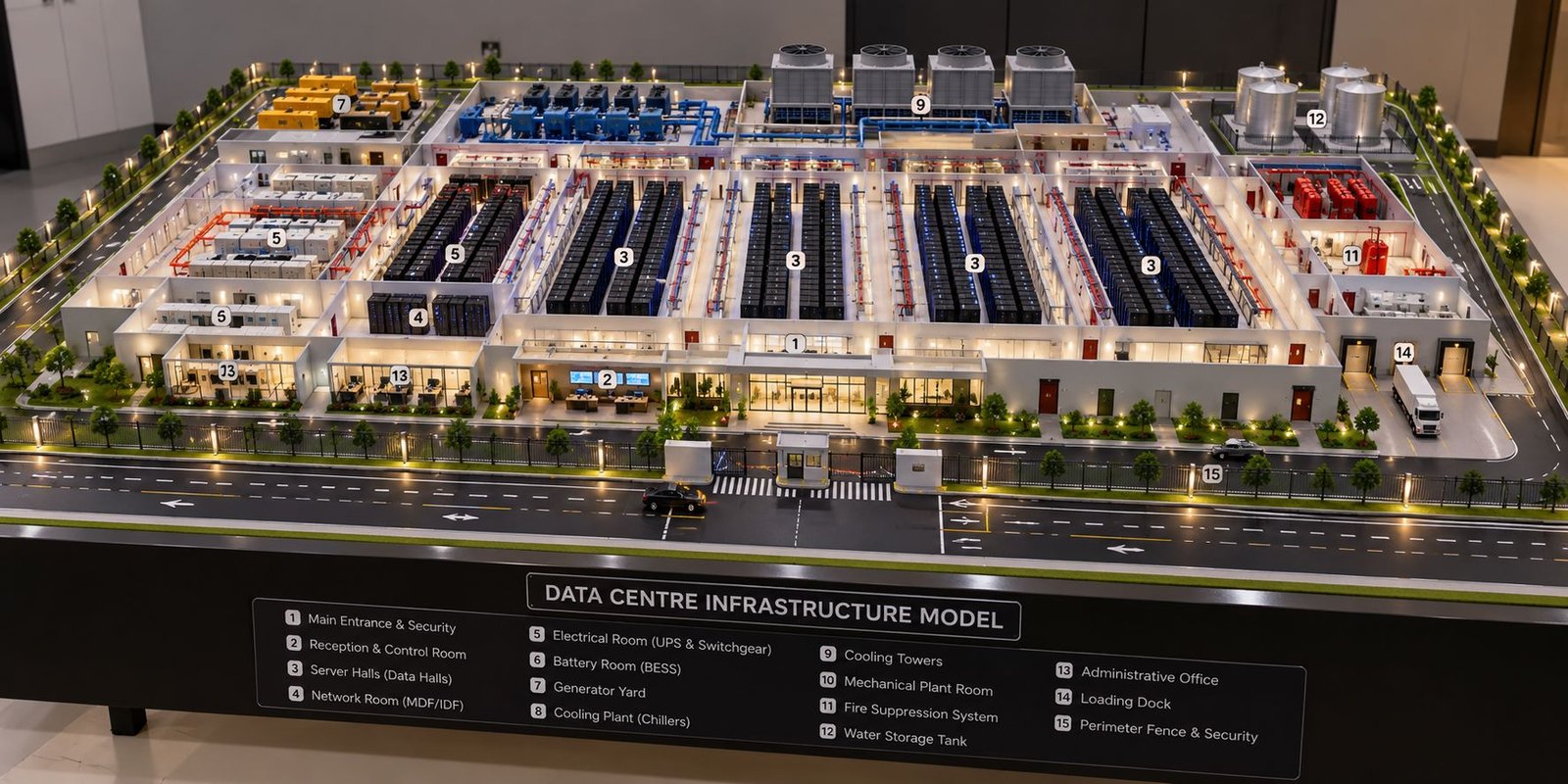
A Data Centre Infrastructure Model presents this complex facility as a detailed physical scale model. It allows architects, engineers, project developers, and business stakeholders to understand the arrangement of server halls, electrical systems, cooling equipment, backup generators, networking facilities, and security infrastructure.
Unlike a conventional architectural model, an infrastructure-focused model explains both the building design and the technical systems that support its operation. Moreover, it can display the complete site layout, including internal roads, equipment yards, utility areas, landscaping, and access points.
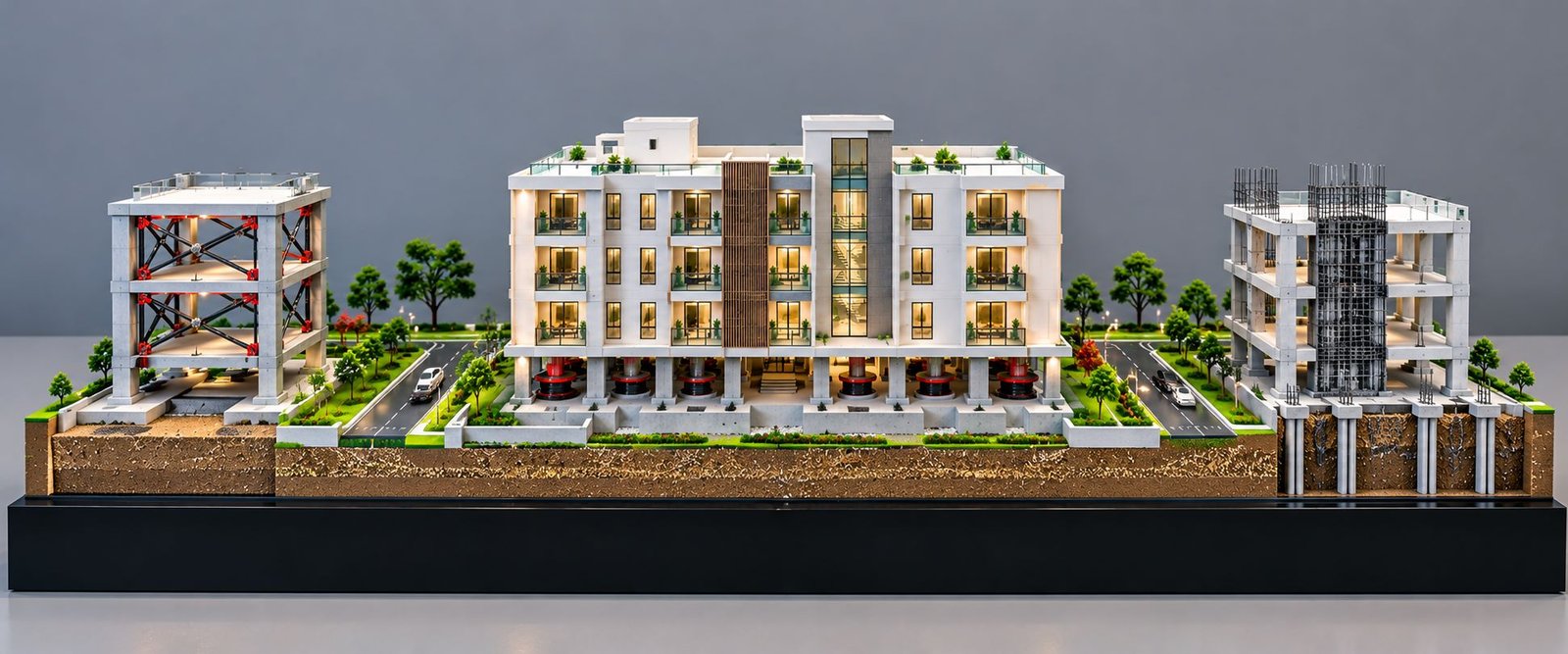
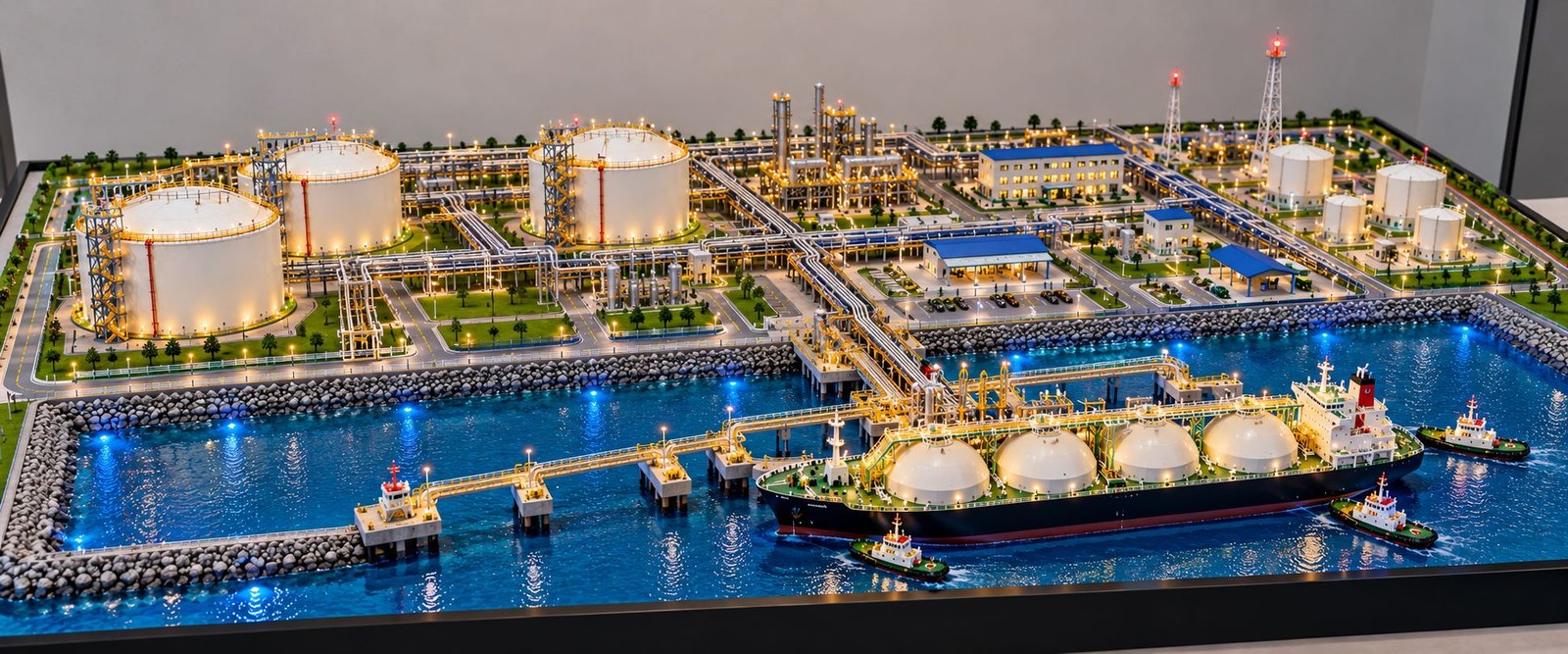
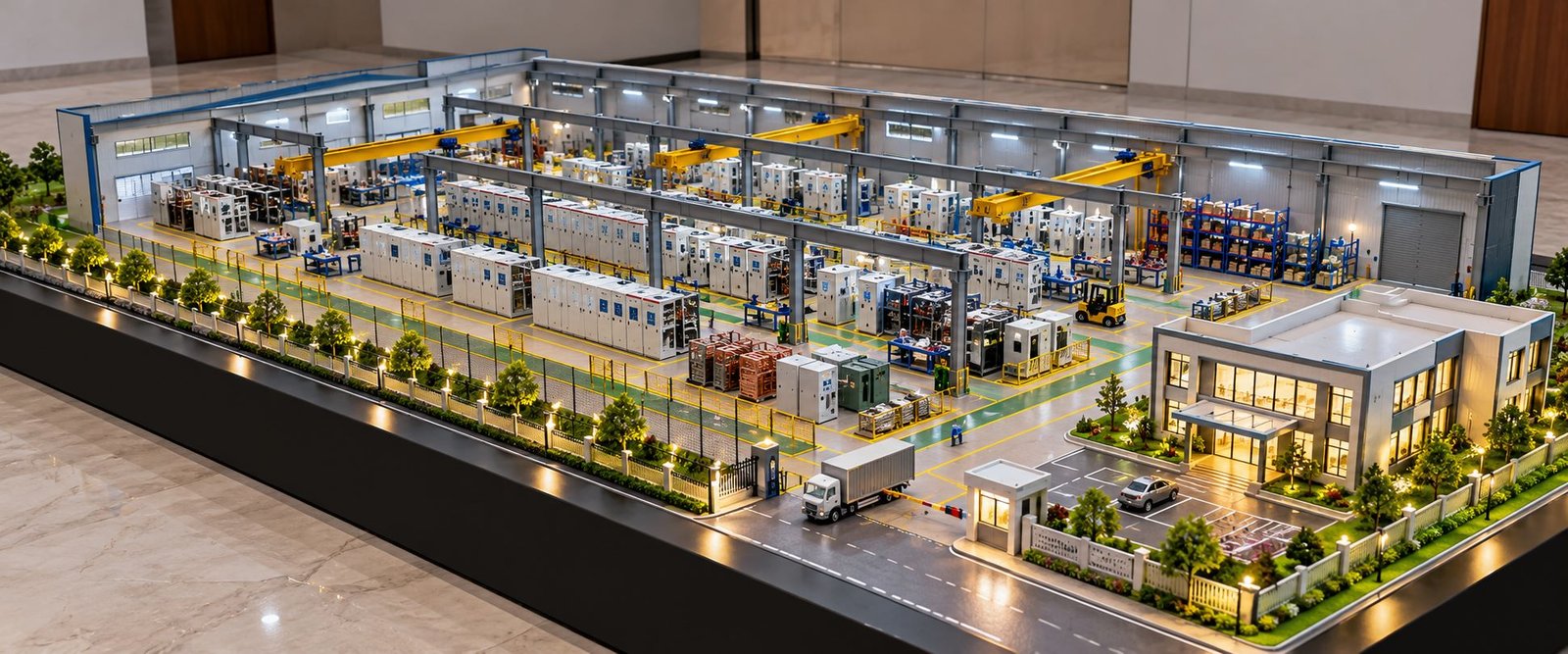
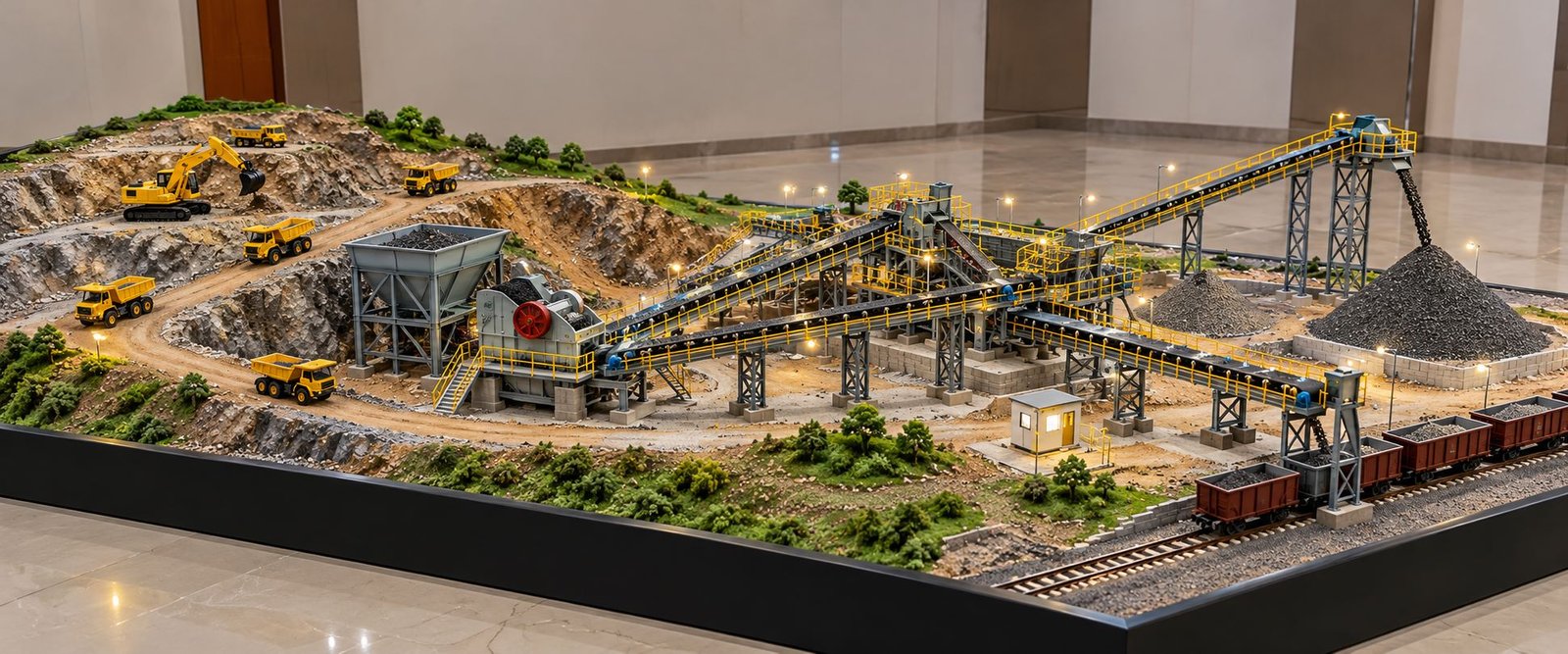
At PAL Design Models, industrial and engineering model-making services can help present complex projects through customized physical models. A professionally designed data centre model can combine architectural detailing, miniature equipment, realistic finishes, internal layouts, and carefully planned infrastructure zones.
For projects that require a wide footprint and low overall height, a horizontal layout offers a practical presentation solution. It allows viewers to examine the main building and supporting facilities together without making the model unnecessarily tall.
What Is a Data Centre Infrastructure Model?
A Data Centre Infrastructure Model is a physical scale representation of a facility that houses IT equipment and its supporting infrastructure. It illustrates the spatial relationship between server rooms, network systems, electrical installations, cooling equipment, backup power, and other essential services.
Depending on the project requirements, the model may represent a small enterprise data centre, a colocation facility, a cloud computing centre, or a large hyperscale data centre campus.
For example, a presentation model may focus on the building exterior, equipment placement, site development, roads, and landscaping. In contrast, a detailed engineering model may include miniature server racks, UPS cabinets, transformers, generators, cooling towers, pumps, piping routes, and cable trays.
A successful model balances detail with clarity. Each component should have a defined purpose, a suitable position, and realistic proportions. Furthermore, the overall layout should help viewers understand how the facility’s different systems relate to one another.
Purpose of a Data Centre Scale Model
A physical scale model makes a complex technical project easier to understand. Although digital drawings and 3D renderings provide useful information, a physical model allows viewers to examine the facility from different angles and understand its three-dimensional arrangement.
Project developers can use these models during client meetings, investor presentations, engineering consultations, exhibitions, and technical demonstrations.
In addition, a detailed model can support discussions about equipment placement, service access, utility connections, and future expansion. However, engineers must still use approved drawings, calculations, and technical studies to verify the actual design.
Importance of Physical Model Making for Data Centre Projects
A modern data centre contains several interconnected systems. These systems must fit within the available site while meeting project-specific requirements for reliability, maintenance, security, and operational performance.
A physical model brings these elements together in one visual presentation. As a result, stakeholders can understand the overall project without studying multiple drawings separately.
Better Understanding of Infrastructure Layout
A data centre contains several functional zones, and each zone performs a specific role. Server halls accommodate IT equipment, electrical rooms distribute power, backup generators support power continuity, and cooling systems manage heat.
A detailed physical model shows the position of these areas within the facility. Moreover, it helps viewers understand the relationship between the main building, utility zones, access roads, and external equipment.
Improved Project Presentation
A professionally fabricated model gives the project a clear and realistic appearance. Detailed miniature equipment, architectural finishes, internal lighting, landscaping, and identification labels help communicate the design effectively.
Consequently, project teams can explain the proposed facility more easily during presentations and stakeholder discussions.
Clear Communication of Engineering Systems
Engineering drawings contain technical information that may require specialist knowledge. A physical model simplifies this information by presenting equipment and infrastructure in three dimensions.
For instance, viewers can identify the location of transformers, UPS systems, generator sets, cooling towers, chillers, pumps, and server halls within the same facility.
Support for Design Coordination
A scale model can help project teams review spatial relationships before construction. For example, they can examine the placement of generators, the distance between equipment zones, and the availability of service routes.
Furthermore, the model can highlight areas that require additional design review. However, it cannot replace detailed engineering calculations, safety assessments, or regulatory compliance checks.
Major Components of a Data Centre Infrastructure Model
A high-quality Data Centre Infrastructure Model should represent the most important functional zones of the facility. The exact components will depend on the approved project design.
Main Data Centre Building
The main building forms the central element of the model. It accommodates server halls, network rooms, electrical spaces, mechanical services, operational offices, and other support areas.
The exterior can feature a modern industrial design with clean architectural lines, flat roofs, service entrances, controlled access points, and loading areas. White, light grey, and charcoal finishes can create a professional appearance.
For projects that require internal visibility, the model-making team can design a partial cutaway or removable roof sections. This approach allows viewers to inspect selected rooms while preserving the building’s overall appearance.
Moreover, a wide building footprint creates space for external equipment without increasing the overall height unnecessarily.
Server Hall and Server Racks
Server halls accommodate the IT equipment that processes, stores, and distributes digital information. Therefore, they represent one of the most important areas in a data centre model.
Miniature server racks can stand in parallel rows with clearly defined aisles. Each rack can feature dark cabinet finishes, small front panels, ventilation details, and subtle indicator lights.
Where the project design requires it, the model can illustrate hot-aisle and cold-aisle arrangements, raised-floor concepts, or overhead service distribution.
In addition, an open roof or removable panel can improve the visibility of the internal arrangement. The team should maintain consistent rack dimensions and realistic spacing throughout the model.
Network and Telecommunications Room
Network infrastructure connects servers to internal systems, external networks, and communication services. A data centre may include network switches, fibre-optic connections, main distribution frames, intermediate distribution frames, and structured cabling.
A miniature network room can feature equipment cabinets, cable-routing details, and compact technical panels. Furthermore, the design should distinguish this room from the main server hall so viewers can identify its separate function.
Electrical Substation and Transformers
Reliable electrical infrastructure supports the continuous operation of a data centre. Depending on the project, incoming power may pass through substations, transformers, switchgear, and distribution equipment before reaching critical loads.
A detailed model can include miniature transformers, electrical enclosures, outdoor switchgear, cable routes, and designated electrical service areas.
The model should also show appropriate separation between electrical installations and unrelated site elements. In addition, clear equipment placement can help viewers understand the facility’s overall power distribution arrangement.
UPS System and Battery Room
An uninterruptible power supply (UPS) helps maintain power to critical equipment during interruptions or fluctuations in the incoming supply. Battery systems provide stored energy according to the facility’s backup design.
The model can display UPS cabinets, battery racks, switchgear panels, and dedicated electrical rooms. Compact rectangular cabinets work well because they resemble real industrial equipment.
If the project includes a battery energy storage system, the model can show its cabinets or containerized units in a separate zone. However, the final layout should follow the actual design rather than assume that every data centre uses identical equipment.
Diesel Generator and Backup Power Area
Backup generators support power continuity when the normal supply becomes unavailable. Depending on the design, the generator area may contain multiple generator sets, exhaust stacks, fuel storage arrangements, ventilation provisions, and service access.
A physical model can represent these components through miniature generator enclosures and carefully arranged equipment platforms.
Moreover, the model should show clear access routes around the generator units. Realistic service doors, ventilation grilles, and acoustic enclosures can improve the industrial appearance.
Cooling Plant and Chiller Systems
Servers produce heat during operation. Therefore, cooling infrastructure helps maintain the environmental conditions required by IT equipment.
Depending on the facility design, cooling systems may use chillers, cooling towers, dry coolers, heat exchangers, pumps, air-handling systems, or other technologies.
A detailed model can include:
- Chiller units with realistic external panels.
- Cooling towers or dry coolers.
- Pump assemblies and water storage equipment.
- Mechanical plant rooms.
- Supply and return piping.
- Equipment access and maintenance zones.
Furthermore, miniature pipes can connect the relevant equipment to communicate the cooling arrangement visually. Pipe supports and equipment platforms can add further realism.
Not every data centre uses cooling towers or the same chilled-water arrangement. Therefore, the model should reflect the actual project specifications.
Fire Detection and Suppression System
Fire protection helps safeguard the facility, its equipment, and its occupants. Depending on the design, the system may include smoke detectors, alarms, sprinklers, clean-agent suppression equipment, and fire-rated compartments.
The model can display suppression cylinders, alarm panels, designated equipment rooms, and selected pipe routes. In addition, compact labels can identify the main fire-protection components without overcrowding the presentation.
The representation should follow the approved fire-protection design. A physical model communicates the arrangement but does not certify the performance of the system.
Water Storage and Utility Infrastructure
Some data centres require water storage and distribution equipment for cooling, firefighting, humidification, or other building services.
A model can include water tanks, pump rooms, utility enclosures, drainage routes, and service connections. Cylindrical or rectangular tanks can represent the actual installation, depending on the reference drawings.
However, the team should avoid adding unnecessary equipment. For example, a facility with an air-cooled design may not require the same water infrastructure as a facility that uses water-based cooling.
Security and Access Control
Data centres require controlled physical access to protect critical equipment. A detailed site model can feature perimeter fencing, entrance gates, security cabins, vehicle barriers, and controlled delivery areas.
A miniature security cabin near the main entrance helps communicate the site’s access arrangement. Additionally, the model may include CCTV poles, pedestrian gates, vehicle inspection areas, and clearly defined site boundaries.
These details should support the overall presentation rather than dominate the technical infrastructure.
Administrative Offices and Support Areas
Depending on the project, the campus may contain reception areas, administrative offices, operations rooms, meeting spaces, maintenance workshops, and staff facilities.
The model can represent these areas as smaller architectural blocks connected to the main building or positioned in separate zones.
Different façade treatments and window details can distinguish office spaces from secure server halls and technical plant rooms.
Roads, Loading Areas, and Landscaping
External development completes the physical presentation. Internal roads, parking areas, loading docks, pedestrian paths, boundary walls, and landscaped zones provide context for the facility.
For a wide data centre model, roads can run along the front and sides of the site. Meanwhile, generator yards, electrical equipment, and cooling systems can occupy their designated areas according to the project drawings.
Miniature vehicles, trees, lighting poles, road markings, and pavement textures can enhance realism. Nevertheless, these details should remain proportional and should not distract viewers from the main infrastructure.
Planning a Wide and Low-Height Data Centre Model
A wide footprint and low overall height work particularly well when the objective is to display the complete data centre campus on one presentation base.
Instead of creating a tall model dominated by the building façade, the design can spread the major components horizontally. This approach provides enough room for server halls, generators, electrical installations, cooling equipment, roads, and security areas.
Horizontal Site Layout
The model can use an elongated rectangular baseboard. The main data centre building occupies the central area, while supporting infrastructure sits in clearly defined zones around it.
For example, the front can show the main entrance, security cabin, reception area, and access road. Meanwhile, the rear or side zones can accommodate cooling equipment, generators, transformers, and other utilities, provided that this arrangement matches the project design.
Consequently, viewers can inspect the entire facility from the front and sides.
Low-Profile Architectural Design
The building should maintain realistic proportions while keeping the overall presentation visually balanced. A single-storey representation or a low-profile multi-zone structure may suit the project, depending on the supplied drawings.
However, the model should not misrepresent the actual building’s number of floors. Instead, the design should use an appropriate scale and a horizontal site arrangement to achieve the required low-height appearance.
Baseboard and Display Stand
A strong rectangular baseboard provides a clean boundary for the complete model. A black or dark-grey fascia creates contrast against white buildings, light-coloured roads, and detailed equipment.
The top surface can combine building footprints, paved areas, technical yards, and landscaping. Moreover, the front fascia can display the project title and a compact component legend.
The team should confirm the final dimensions after reviewing the architectural drawings, desired scale, and available display space.
Equipment Placement and Visibility
The design should allow viewers to identify important components without obstruction. Tall equipment should not unnecessarily block the view of server halls, electrical rooms, or other major features.
Where a single viewing angle cannot reveal every detail, the model can use removable roof panels or a selective cutaway. As a result, the model can show internal infrastructure without increasing its overall height significantly.
Materials Used in Data Centre Model Making
Material selection influences the model’s appearance, durability, detailing, and finish. The most suitable combination depends on the required scale, component complexity, and presentation objectives.
Acrylic and Sheet Materials
Acrylic sheets can form transparent partitions, protective covers, selected façade elements, and display enclosures. They provide a clean finish and allow viewers to inspect internal details where transparency is necessary.
Suitable sheet materials can also form building walls, floors, partitions, and equipment enclosures. The team should select appropriate thicknesses to maintain realistic proportions and structural stability.
3D-Printed Components
3D printing helps produce miniature components with complex shapes or repeated details. These components may include cooling equipment, pipe fittings, machine housings, ventilation units, and specialized industrial parts.
The technique can improve consistency across repeated components. After printing, the parts may require sanding, surface preparation, painting, and final assembly.
Model-Making Plastics and Structural Materials
Plastic sheets, modelling boards, foam boards, and other fabrication materials can form the main building structure and site features.
The selected materials should remain stable and support a clean finish. Furthermore, the team should carefully proportion thin walls and small equipment so the model maintains a realistic appearance.
Lighting and Electrical Components
Small LED lights can highlight selected interiors, entrances, pathways, and important technical zones. However, lighting should improve visibility rather than overwhelm the model.
The team should install wiring neatly and conceal it wherever practical. In addition, the design should provide suitable access for maintenance.
Paints, Finishes, and Labels
Paint creates visual consistency across the model. White and grey can represent buildings, dark finishes can distinguish server racks, and restrained colours can identify selected equipment or piping systems.
Clear labels help viewers identify individual components. Moreover, a compact legend can explain numbered areas without covering the model surface with lengthy descriptions.
Systematic Process for Developing a Data Centre Infrastructure Model
A professional model requires structured planning before fabrication begins. Each stage should follow the project drawings and presentation objectives.
Reviewing the Project Brief
First, the team reviews the architectural plans, site drawings, equipment layouts, reference photographs, and engineering information.
The team identifies the main building, server halls, electrical rooms, generator locations, cooling infrastructure, access roads, and essential utility areas.
At this stage, the team should also confirm the desired dimensions, viewing direction, level of internal detailing, lighting requirements, and need for removable roofs or cutaway sections.
Developing the Layout and Scale
Next, the team translates the drawings into a coordinated physical layout. It determines the scale and checks whether the building and supporting equipment will fit comfortably on the proposed baseboard.
A consistent scale maintains the relationship between buildings, equipment, roads, and site boundaries. However, the team may simplify very small details when necessary to preserve visibility.
Fabricating the Main Structure
After layout approval, the team fabricates the building structure. Walls, floors, partitions, roof sections, entrances, and service openings follow the supplied drawings.
If the brief requires internal visibility, the team can create removable roof panels or a partial cutaway. Clean joints, accurate alignment, and consistent finishes help produce a professional architectural model.
Fabricating Industrial Equipment
The team then prepares miniature server racks, generators, transformers, UPS cabinets, chillers, cooling towers, pumps, and electrical enclosures.
Repeated equipment should maintain consistent dimensions and finishes. Furthermore, specialized parts can use suitable fabrication techniques, including 3D printing.
Installing Piping and Cable Routes
The team adds selected piping routes, cable trays, and utility connections to demonstrate the relationship between technical areas.
For example, the model can show cooling-water connections between mechanical equipment and the main building. Similarly, cable trays can represent electrical distribution routes and service corridors.
These features should follow the approved drawings. Therefore, the team should avoid adding unnecessary pipes and cables simply to make the model appear more complex.
Adding Lighting and Finishing Details
Finally, the team applies paint finishes, installs selected lighting, adds road markings, and completes the landscaping and boundary treatment.
The team can also add equipment labels, a project title, and a compact legend. Before delivery, it should inspect the model for loose parts, inconsistent finishes, exposed wiring, unclear labels, and obstructed viewing angles.
Key Features of a High-Quality Data Centre Scale Model
A high-quality model communicates the project clearly while maintaining a realistic physical appearance.
Accurate Building and Equipment Proportions
The main building and its equipment should maintain consistent scale relationships. Server racks must fit naturally within the server hall, while generators, transformers, and cooling units should occupy suitable areas.
Consequently, accurate proportions help the model look realistic and professionally constructed.
Realistic Industrial Detailing
Small features can improve the overall presentation. Ventilation grilles, equipment doors, pipe supports, cable trays, service platforms, and access steps help create a convincing engineering environment.
However, the team should maintain appropriate proportions. Excessive decoration can make the model difficult to understand.
Clear Functional Zoning
The model should make it easy to distinguish server halls, electrical infrastructure, cooling facilities, backup power systems, and administrative spaces.
Furthermore, clear zoning allows viewers to understand the campus without requiring a lengthy explanation.
Professional Presentation Finish
A clean baseboard, consistent paintwork, carefully fitted components, and clear labels contribute to a professional result.
For a large, low-height model, the horizontal arrangement is particularly important. It gives each infrastructure zone sufficient space and improves visibility from the main viewing sides.
Applications of Data Centre Infrastructure Models
Physical data centre models can support several activities beyond architectural presentation.
Data Centre Project Proposals
Developers and infrastructure companies can use physical models to present proposed facilities to clients, investors, and business partners.
The model communicates the overall campus arrangement and makes investments in power, cooling, security, and IT infrastructure easier to visualize.
Architectural and Engineering Consultations
Architects, structural engineers, electrical consultants, mechanical engineers, and data centre specialists can use the model during design discussions.
For example, the team can review equipment locations, access routes, service areas, and relationships between different building zones.
Corporate Exhibitions and Trade Shows
A Data Centre Infrastructure Model can serve as a presentation feature at technology exhibitions, engineering expos, infrastructure events, and corporate offices.
A wide rectangular model with realistic equipment and a professional finish can communicate the facility’s scale without requiring viewers to interpret multiple technical drawings.
Educational and Technical Demonstrations
Training centres and educational institutions can use a physical model to explain the relationship between server infrastructure, backup power, cooling, networking, and security.
In addition, an open or cutaway design can make internal arrangements easier to understand.
Facility Planning and Stakeholder Communication
A model can support discussions about future expansion, equipment zoning, access arrangements, and proposed utility locations.
Nevertheless, operational decisions must rely on current engineering documents and appropriate technical analysis.
Benefits of Industrial Model Making for Data Centre Infrastructure
Industrial model making combines physical fabrication with engineering visualization. For data centre projects, this approach helps present multiple technical systems in one understandable format.
One Complete Physical Representation
A single model can combine architectural design, electrical infrastructure, mechanical equipment, IT spaces, and external development.
As a result, stakeholders can understand the proposed facility more easily than they could from a collection of disconnected visual references.
Better Visual Communication
A physical model provides depth and spatial context. Viewers can examine the facility from different angles and understand the relative position of individual components.
Moreover, this approach can help project teams explain complex layouts to stakeholders who do not work directly with engineering drawings.
Customization for Project Requirements
Every data centre has different requirements. Some facilities emphasize hyperscale server halls, while others focus on colocation services, enterprise computing, specialized cooling, or high-reliability power infrastructure.
Therefore, a customized model should reflect the actual project instead of relying on a generic arrangement.
Long-Term Display Value
A well-fabricated model can be displayed in corporate offices, reception areas, meeting rooms, project galleries, and exhibition spaces.
A durable baseboard and suitable protective cover can help preserve the model during long-term display and transportation.
Integration of Architectural and Engineering Details
A Data Centre Infrastructure Model can combine architectural presentation with mechanical engineering details, electrical installations, miniature equipment, and piping arrangements.
Consequently, this integrated approach provides a more comprehensive view of the facility.
Data Centre Infrastructure Model vs. Conventional Architectural Model
A conventional architectural model mainly focuses on the building’s external form, façade, entrances, landscape, and surrounding development.
In contrast, a Data Centre Infrastructure Model can include these features while giving additional attention to the technical systems that support the facility.
For example, an architectural model may show a clean building exterior with roads and landscaping. An infrastructure-focused model may also reveal server racks, UPS rooms, battery cabinets, generators, cooling equipment, electrical switchgear, and selected pipe routes.
The difference is therefore not simply the number of miniature components. Instead, it lies in the purpose of the representation.
An architectural model primarily communicates the building design, while an infrastructure model also explains how the facility accommodates its technical functions.
For projects that require both types of presentation, a combined model can provide a useful balance between exterior appearance and internal engineering detail.
Challenges in Data Centre Model Making
A complex physical model requires careful coordination. Understanding common challenges helps the team produce an accurate and professional result.
Maintaining the Correct Scale
Small equipment can become difficult to recognize at a very small scale. Conversely, oversized components may distort the overall layout.
Therefore, the team should select a suitable scale early and simplify minor details where necessary.
Representing Complex Infrastructure
Data centres may contain extensive electrical, mechanical, networking, and cooling arrangements. Displaying every detail at once can make the model crowded.
A better approach is to prioritize the most important systems. In addition, selected cutaways, colour differentiation, and a compact legend can help explain the infrastructure.
Managing a Wide Baseboard
A wide model needs a stable base and a practical viewing arrangement. The layout should provide sufficient room for technical equipment while preserving access routes and site boundaries.
Furthermore, the team should consider transportation, installation, and display requirements when designing the baseboard.
Balancing Detail and Readability
Too few details can make the facility appear generic, while too many can obscure the main design.
Consequently, the model should use details selectively. Major infrastructure should remain prominent, while smaller features should support the overall explanation.
Protecting the Finished Model
Miniature equipment, fine piping, lighting components, and external accessories can suffer damage during handling.
A suitable protective enclosure, careful packing, and secure component mounting can help reduce this risk.
Why Choose PAL Design Models for a Data Centre Infrastructure Model?
PAL Design Models provides model-making services for architectural, industrial, engineering, and infrastructure presentation projects. A data centre project can combine several of these disciplines within one physical model.
The design process should begin with the project’s actual requirements, including architectural drawings, equipment layouts, site dimensions, and presentation objectives.
Next, the team can plan the model around the main building, server halls, power infrastructure, cooling systems, external utilities, and security arrangements.
For a project that requires a wide and low-height layout, the design should emphasize horizontal site development, clear equipment zoning, and visibility of the main engineering components.
Depending on the approved brief, the final model may include miniature server racks, generator sets, transformers, UPS cabinets, cooling equipment, pipe routes, internal lighting, landscaping, and a professionally finished display base.
You can explore the company’s services and project information on the official website: PAL Design Models.
A customized model should reflect the project drawings and available references. This approach helps ensure that the physical representation communicates the intended design accurately.
Future Trends in Data Centre Infrastructure Model Making
Data centre infrastructure continues to evolve as computing requirements increase and organizations adopt new technologies. Physical models can adapt to these developments by representing the systems that matter to each project.
AI and High-Density Computing Facilities
Artificial intelligence workloads can require high-density computing equipment and specialized cooling arrangements.
Therefore, a model may include dedicated server halls, advanced cooling zones, and supporting power infrastructure when these features form part of the actual design.
Modular Data Centre Infrastructure
Some projects use modular or prefabricated units to simplify deployment and expansion. A scale model can illustrate these modules, their access routes, and their relationships with electrical and cooling equipment.
Energy-Efficient Cooling Systems
Modern data centre designs may incorporate advanced cooling approaches, heat recovery, efficient mechanical systems, and other energy-management measures.
Where specified, the model can represent these systems through miniature equipment and clearly defined utility zones.
Renewable Energy and Energy Storage
Some data centre projects integrate renewable energy sources or battery storage into their wider energy strategy.
For example, a customized model can illustrate solar installations, energy storage units, transformers, and associated infrastructure when these systems form part of the approved project.
Digital Design and Physical Visualization
Digital drawings and three-dimensional design tools help teams coordinate dimensions and equipment placement before fabrication begins.
Subsequently, the approved design can guide the construction of the physical model. This combination supports consistency between the engineering design and the final presentation.
Frequently Asked Questions About Data Centre Infrastructure Models
What is a Data Centre Infrastructure Model?
A Data Centre Infrastructure Model is a physical scale representation of a data centre building and its supporting systems, including server halls, electrical equipment, cooling infrastructure, backup power, networking, and security.
Which components can a data centre scale model include?
Depending on the project, the model can include server racks, network rooms, UPS systems, batteries, transformers, generators, chillers, cooling towers, pumps, piping, fire-protection equipment, roads, security cabins, and landscaping.
Can a data centre model have more width and less height?
Yes. A wide, low-height arrangement works well when the objective is to display the complete facility and its external engineering systems on one baseboard.
The exact proportions should follow the project requirements and available drawings. Moreover, the design should preserve the actual building’s proportions while arranging the infrastructure horizontally.
Can the model show internal server racks?
Yes. The team can display internal server racks through an open roof, removable roof sections, or a partial cutaway.
The best approach depends on the required viewing angle, model scale, and level of detail.
Can lighting be added to a Data Centre Infrastructure Model?
Yes. Small LED lights can highlight selected interiors, equipment zones, pathways, and building entrances.
However, the team should install the wiring neatly and use lighting to improve visibility rather than overwhelm the model.
Which materials are suitable for this model?
Suitable materials may include acrylic, plastic sheets, modelling boards, foam boards, structural materials, and 3D-printed components.
The final selection depends on the scale, component complexity, finish, and durability requirements.
What information is required to develop a customized model?
Useful references include architectural drawings, site plans, equipment layouts, elevations, piping drawings, electrical layouts, reference photographs, desired dimensions, and presentation requirements.
If complete engineering drawings are unavailable, the team can begin with the available references. However, the team should confirm missing details before representing them as final design information.
Final Thoughts
A Data Centre Infrastructure Model provides an effective way to present the architectural design and engineering systems of a modern data centre in one physical format. By combining server halls, electrical installations, backup generators, cooling equipment, network facilities, fire protection, and site development, the model helps viewers understand how the facility is organized.
The most important factor is not simply the number of miniature components. Instead, a successful model combines accurate proportions, logical equipment placement, clean fabrication, and a clear visual hierarchy.
For a project that requires more width and less height, a wide rectangular baseboard with a low-profile building arrangement offers a practical presentation format. Moreover, it allows the main facility and supporting infrastructure to remain visible together while providing sufficient space for detailed industrial equipment and external services.
With careful planning, suitable materials, realistic detailing, and professional finishing, a Data Centre Infrastructure Model can support project presentations, design discussions, exhibitions, and technical demonstrations.
PAL Design Models can develop a customized physical model based on the project’s requirements and available references. Ultimately, the goal is to create a clear, detailed, and professionally presented model that communicates the facility’s architectural and engineering features in a systematic manner.